📖 All guides
Approve shift swaps
Employees offer or trade published shifts; nothing changes until a manager approves.
Shift swaps let your team solve their own coverage problems — with you as the final gate. An employee offers a shift for takeover (someone claims it) or proposes a direct trade; the coworker consents; then it lands in your approval queue. Nothing on the schedule moves until you approve.
- 1
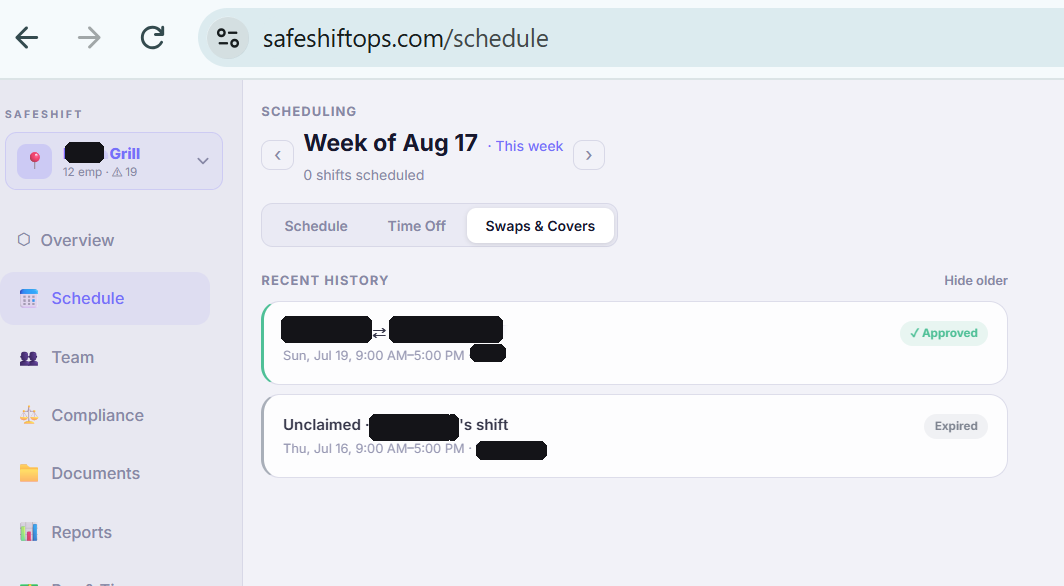
Find the queue
On the web, it's Schedule → Swaps & Covers; on the manager mobile app, Schedule → Swaps. Push notifications deep-link you straight there when a request needs you.
- 2
Read the advisories
Each request shows warnings computed for you — like the new owner crossing 8 scheduled hours that day or 40 that week (overtime exposure in California) or a role mismatch (a host claiming a line-cook shift). Advisories warn, they never block: you decide.
- 3
Approve or deny
Approve and the shift moves instantly — reminders re-arm for the new owner automatically. Deny a takeover and the shift reopens for other claimants by default (uncheck to make the denial final). The full request trail — who offered, who consented, who approved — is kept as an audit record.
Good to know
- Swaps only touch future, unstarted, published shifts — a shift that's already begun can't be swapped, ever.
- Swaps are on by default; you can turn them off per location in Settings → Locations.
- Employees only ever see coworkers' first name, last initial, role, and shift time on the swap board — no phone numbers, no pay data.