📖 All guides
Employees who work at multiple locations
One business: assign extra locations on one record. Separate legal entities: keep one record per entity and link them.
How you set this up depends on whether your locations are the same legal employer (same EIN) or separate entities. Getting it right keeps hours, overtime, and evidence attributed to the correct employer — which is exactly what matters if records are ever subpoenaed.
- 1
Same business, multiple locations: use “Works at”
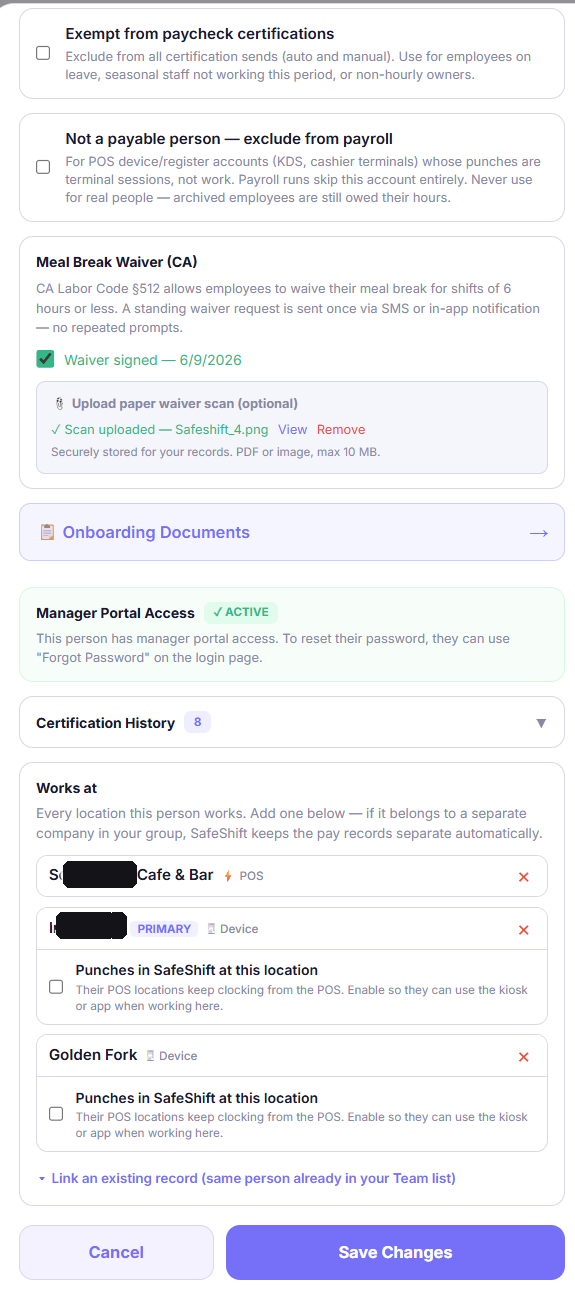
Open the employee on the Team page and add locations to their Works at list. One record, one login, one PIN — their hours and violations follow them to whichever location they punch at, and weekly overtime is computed across all of them.
- 2
Separate legal entities: same flow, one confirmation
If the other location is a different legal employer (different EIN), add it to Works at the same way — SafeShift detects the entity boundary and asks you to confirm. On confirm, it creates a separate employment record at that entity and links the two automatically. Separate records per employer are required for clean payroll and legal evidence; the link keeps it one person.
- 3
Two records already exist? Link them by hand
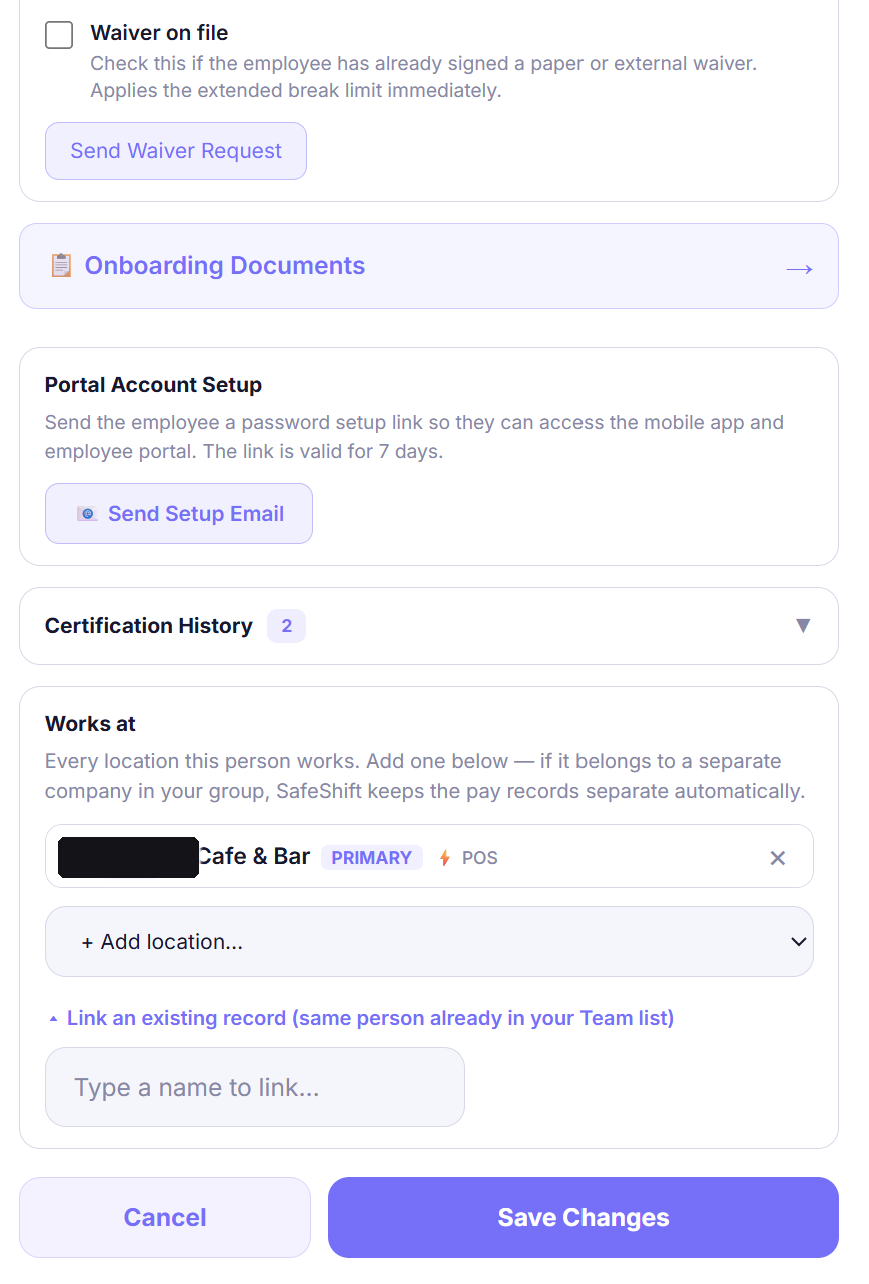
If the same person already appears twice in your Team list (added separately, or imported from two POS systems) the records are NOT linked automatically. Open either record, and in the Works at section expand “Link an existing record (same person already in your Team list)”, then pick their other record. The linked record appears as a SEPARATE COMPANY card — pay stays separate, one app login.
- 4
What the employee sees
Linked records share one login. The employee gets an employer switcher in the app, a combined week view across employers, and the kiosk figures out which record to punch based on the tablet's location. Their Monday hours digest arrives as one combined email with a per-employer breakdown — never duplicate emails.
Good to know
- Don't create a second record with the same email by hand and expect it to link — linking happens through the Works-at confirmation or the Link-an-existing-record action, never automatically from a matching email.
- Linking never merges anything: each employer keeps its own record, hours, PIN, and pay rate. Unlink (on the SEPARATE COMPANY card) undoes it — both records survive, they just stop sharing a login.
- If someone stops working at a location, remove it from Works at (or archive that record) — don't delete anything; history must survive.
If something goes wrong
I can see the person's other location in my Team list, but their “Works at” doesn't show it.
That usually means the other location belongs to a different legal entity, so it lives on a separate record rather than in this record's Works-at list. Look for a SEPARATE COMPANY card under Works at — if there isn't one, the two records aren't linked yet: use “Link an existing record” to connect them.
The employee has two app logins / gets asked to set up two accounts.
Their two records aren't linked. Link them (step 3) and they'll share one login with an employer switcher; their existing password carries over.
Does overtime combine when someone works at more than one of my locations?
Locations that share an EIN are one employer, so yes — automatically. Hours at every location on the record count toward the employee's daily and weekly overtime, and the overtime lands on the shift that crossed the line, so each location's report and payroll pays only its own shifts. Locations under separate companies (linked records) stay separate by default; the owner can combine those too under Settings → Payroll → Overtime across your companies, the conservative choice for a commonly owned group.