📖 All guides
HR actions & AI-drafted notices
Issue documented HR notices — warnings, policy acknowledgments, and more — with AI-drafted text and tracked employee signatures.
When something needs to go on the record — a written warning, a policy acknowledgment — HR Actions produces a professional notice, collects the employee's signature, and files it with your compliance documents.
- 1
Open Documents → HR Actions
Go to Documents in the sidebar and open the HR Actions section.
- 2
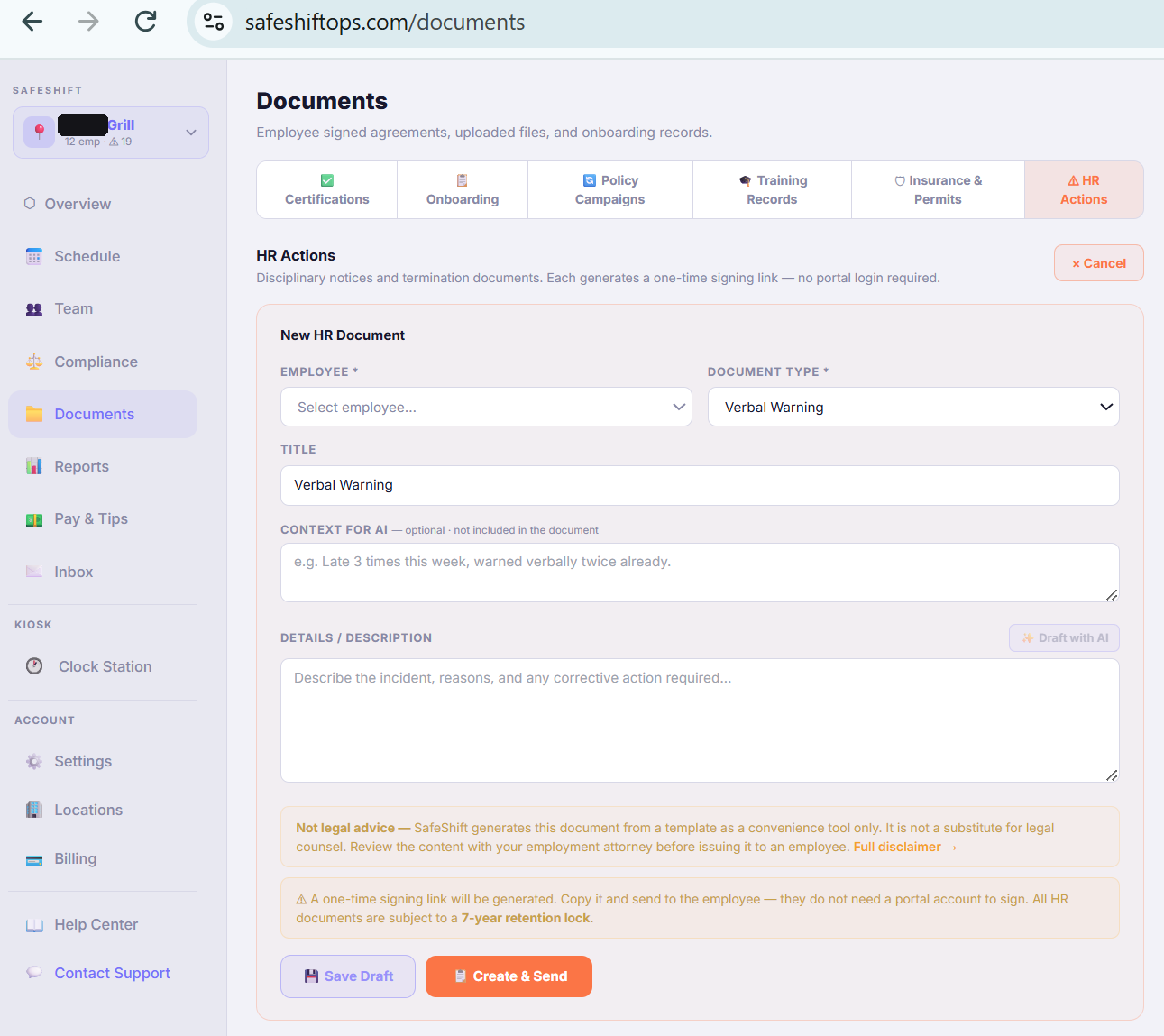
Pick the notice type and employee
Choose what kind of notice this is and who it's for, then describe what happened in your own words.
- 3
Draft with AI, then make it yours
Click Draft with AI to generate professional notice text from your description. Always review and edit — the draft is a starting point, you approve every word before anything is sent. Nothing goes to the employee automatically.
- 4
Send for signature
The employee gets a link to read and sign. The signed notice is stored with your documents — timestamped, tamper-evident, and exportable if you ever need it.
Good to know
- AI drafts are not legal advice. For anything with termination or legal exposure, have counsel review before sending.